
Released version 0.91 with many new features. Here's the freshmeat announcement:
This release adds fuzzy search, plugins (for CD burning), a separate preferences dialog, and play history collection. Each song now has a 'Performer' field as well as play statistics and can be rated on a scale of 0 to 5 stars. Easy mass tagging was implemented. A configurable number of backups will be kept of a database. The build process now uses autotools. Searches were made asynchronous for much faster response times. Startup time was dramatically reduced.There's a web interface through Gmane, as well as a news interface. The SourceForge list page for the list is also available.
To subscribe, go here.
Q: Why doesn't madman implement a way to tag several songs at once?
A: It does. See "Tag > Repeat last retag on selection." on the context menu.
Q: I used to be able to just drag column headers to change the order in which the columns were displayed. I can't any more. What's up?
A: I'm sorry. This is a Qt-braindead-ism that's hard to change from the application level. For now, just hold Control while you drag and everything should work like before.
Q: How do I write a plugin for madman?
A: Go to the plugins directory in the madman source tree, there's a README file that has all the details as well as an example.
Q: Why doesn't madman have a builtin player?
A: For now, I would like madman to focus on what it does best, and that is manage your music. Rather than improvising a player, I want to use proven code (XMMS) that works well for almost everybody. madman may become a player in its own right at some point, but no guarantees. That said, adding an extra player backend to madman is really easy, so there if there's some player you want controlled, knock yourself out. :)
Q: Why does SCons say "No tool named 'qt'"?
A: Jon Burgess says, start SCons with $PWD/scons.py instead of ./scons.py.
Jon Burgess deserves a big thank you for figuring most of the stuff in this section, as well as for providing patches to make the life of all you CVS junkies out there a lot easier. ;)
Q: What about .ui files that refuse to be processed by Qt 3.1's uic?
A: There's a line at the top of these files that says something with "3.2". Change it to "3.1". It'll work after that.
Q: The configure script stubbornly thinks I don't have the Ogg Vorbis libraries installed. I know I do. Huh?
A: This Debian bug report might help you even if you don't use Debian. The short version is that the configure template that comes with ogg is buggy and needs to be fixed.
The one music manager to rule them all. :) madman makes your digital music experience what it should have been from the start. Fun, not clumsy. Organized, not a mess. Cool, not technical. Let's face it: The "Open file" dialog is not an appropriate way to find the music that you like. Come and take a look what madman can do for you.
Selection at your fingertips. madman automatically creates an index of all the digital music that you have. So, if you know you have that cool old Indie album lying around somewhere, but you just can't remember where, use madman's intelligent search features to see where it is. more...
Join the madman community. madman-discuss@lists.sourceforge.net, click here for information. Get notified when new releases of madman come out.
Power and extensibility. Once you find the music you've been looking for, madman easily plays it in your favorite MP3 player. You can also burn these songs to music or data CDs. And if that's not enough, writing a plugin for madman takes no more than writing a shell script. That way, you can upload music to your portable MP3 player with one click of the mouse. feel it...
Smart playlists. Have you ever found it clumsy and tiring to manually add song by song to your playlist, just to be able to listen to your all-time favorites? Sure enough, madman imports your previous work and manages existing playlists. But it also gives you a new and easier way to rack up the music you like. It can use your ratings and listening habits to write automatic, smart playlists for you. more...
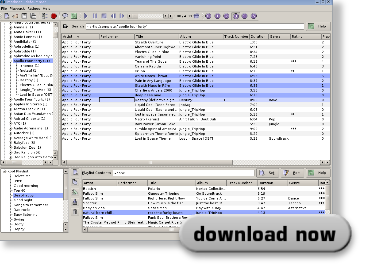
Just the basics. madman is fast. Designed from the ground up to avoid expensive operations, it will not slow you down, even if your computer is not the newest. Even with several thousand songs in your database, madman usually starts up in less than two or three seconds. madman's user interface is extremely simple. Almost everything works through right-click menus or drag'n'drop. Even compared to the last release, the new UI has been simplified a great deal - yet with no sacrifice in power. madman's C++ code base is clean and extensible, so if you find yourself in need of one specific feature, you can usually add it in very little time. see it...
Smokes the competition. More than likely you will have heard of Apple's iTunes If you're a Windows user, you might have seen MoodLogic, MusicMatch or a whole slew of others. If you already use Linux, you might be familiar with Rhythmbox, [Amarok][amarok], Juk, QuodLibet or banshee. madman is pretty much in the same vein as all these. They all suck. All music managers suck. madman just sucks less. (Hm. Apologies to Michael R. Elkins :)